
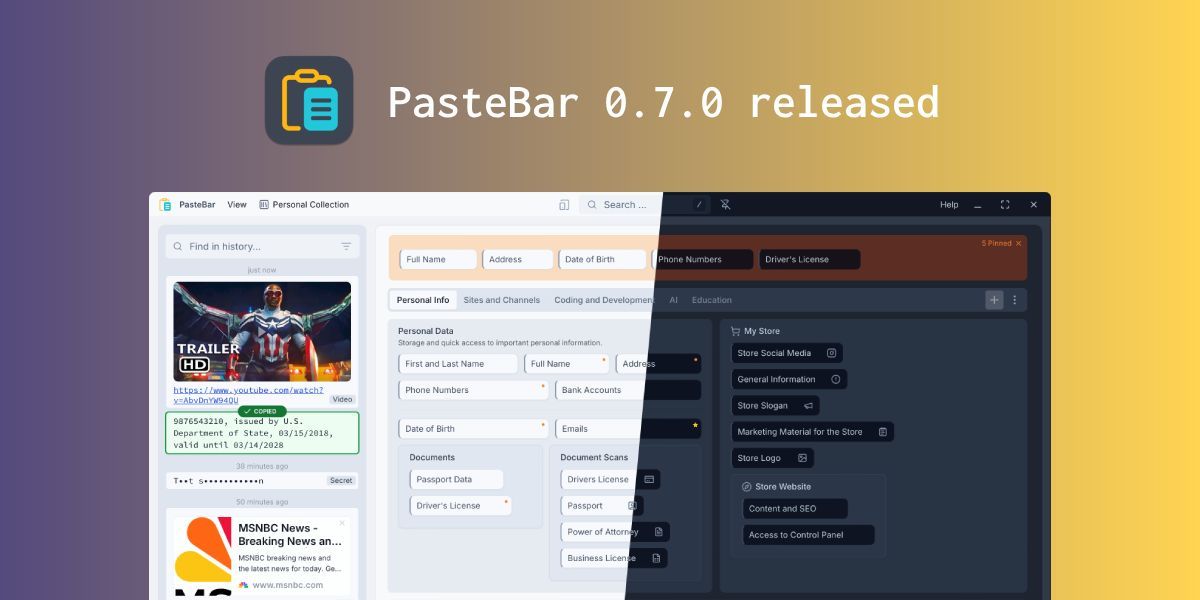
PasteBar has unleashed version 0.7.0, delivering a comprehensive upgrade to the beloved free and open-source clipboard manager that's winning hearts across Mac and Windows platforms. 🚀 This feature-packed release transforms clipboard management from a simple utility into a sophisticated productivity powerhouse, addressing the security and workflow demands of modern professionals.
PIN-Protected Collections Secure Sensitive Data 🔒 The standout security enhancement introduces PIN-protected collections, allowing users to safeguard confidential clipboard content behind an additional authentication layer. This game-changing feature ensures that sensitive information like passwords, API keys, or confidential documents remain secure while maintaining the quick accessibility that makes clipboard managers indispensable. 🛡️ Users can now confidently store classified content without worrying about unauthorized access during screen sharing or collaborative work sessions.
Custom Storage Locations Enable Seamless Synchronization ☁️ PasteBar 0.7.0 empowers users with complete control over clipboard data storage locations, supporting synchronization across multiple devices through popular cloud storage solutions or shared network drives. This flexibility allows teams to maintain consistent clipboard libraries across workstations while enabling individual users to access their curated clips from any device. 🔄 The feature particularly benefits remote workers and professionals who switch between multiple computing environments throughout their day.
Robust Backup System Protects Valuable Content 💾 Enhanced backup and restoration capabilities ensure clipboard databases and images remain safe and recoverable across different work environments. The comprehensive export and import functionality allows users to migrate entire clipboard collections, protecting years of accumulated productivity shortcuts from data loss or system failures. 📁
Triple-Key Shortcuts Supercharge Navigation ⚡ Power users will appreciate the expanded shortcut system that now supports up to three simultaneous key combinations for navigation. This sophisticated keyboard control system enables lightning-fast clipboard access without mouse dependency, dramatically accelerating workflows for professionals who prioritize keyboard-driven productivity. ⌨️
30+ Specialized Operations Cater to Every Workflow 🛠️ The update introduces over 30 specialized copy and paste operations tailored to diverse professional workflows. These granular operations address specific use cases across development, design, writing, and administrative tasks, transforming PasteBar from a general clipboard tool into a workflow-specific productivity multiplier. 🎯
Instant Search Eliminates Friction 🔍 The Quick Paste window now features automatic search activation that begins as soon as typing starts, eliminating the need for manual search initiation. This seemingly small enhancement dramatically improves the user experience by reducing cognitive load and making clip retrieval feel instantaneous. ✨
📰 News Summary
🔑 Key Highlights:
- 📋 PasteBar 0.7.0 launches for Mac and Windows with major productivity and security upgrades
- 🔐 PIN-protected collections secure sensitive clipboard content with authentication layer
- ☁️ Custom data storage locations enable cloud sync via popular storage solutions and network drives
- 💾 Enhanced backup/restore with full database and image export/import capabilities
- ⚡ Advanced shortcuts support up to three simultaneous key combinations for power users
- 🛠️ 30+ specialized copy/paste operations tailored to diverse professional workflows
- 🔍 Quick Paste window auto-searches immediately when typing begins for instant access